Canvas app
Procurement Management
Purchase request management for a construction site: creation, multi-step approval flow, tracking through to delivery, and reporting.
- Power Apps canvas app
- Power Fx
- Dataverse
- SharePoint
- Power Automate
- Power BI
Solution and key features
A Power Apps canvas app follows every purchase request from draft to reception on site. The approval flow is not hard-coded: it is chosen from the organization, the nature of the expense and the amount, using definitions that administrators maintain themselves.
- Creating a purchase request (type, organization, cost allocation code, nature, budget), copying an existing one, and attaching documents: quotations, bid comparison, purchase order.
- Two-stage approval — the request, then the choice of supplier — with sequential or parallel steps, approval, rejection with a comment, and undoing a step.
- Automatic choice of the approval flow: amount thresholds, then organization, nature and cost allocation code, otherwise the default flow.
- Personal home screen: counters, to-do list (steps to approve, drafts to launch, consultations without a buyer) and a progress line for each request.
- Reporting: charts by buyer, by requester and over time, a filterable table, and Excel or CSV export.
- Settings: approver groups, flow definitions, theme color and a dictionary of labels (English, French and Spanish in the original app).
Demo
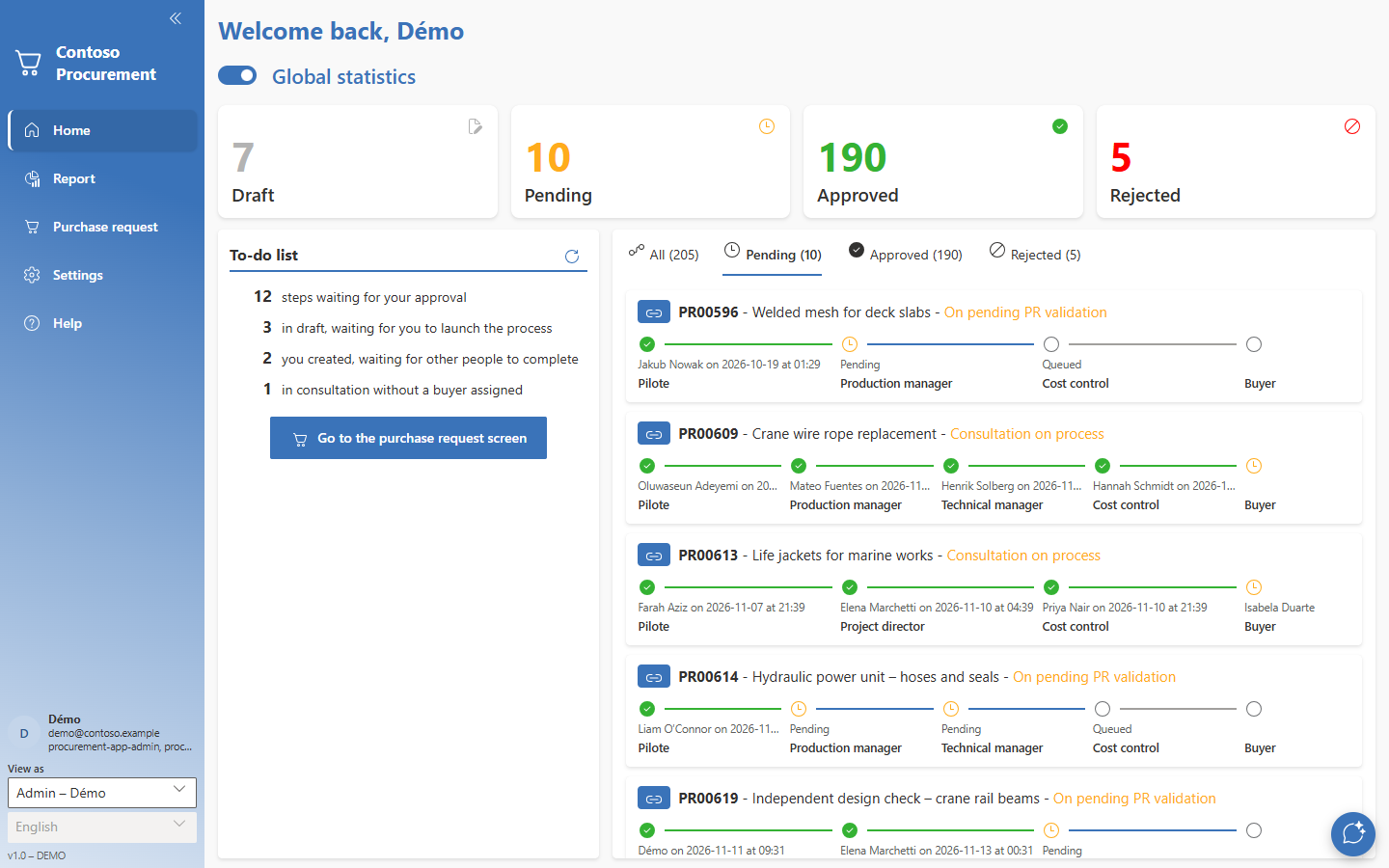
The demo loads in this page. No sign-in, no account.
Loading the demo…
The original application is a canvas app; it is rebuilt here in React, with the same logic and the same look. The interface is in English. The “View as” list, bottom left, lets you play the requester, an approver or a buyer.
Screenshots
Technical choices and results
Data model
- Dataverse tables: purchase requests, approval steps (one row per step and per request), flow definitions, groups and memberships, dictionary of labels.
- Reference data synchronised from the ERP (organizations, natures, cost allocation codes, suppliers), read-only in the app; documents stored in a SharePoint library, one folder per request.
Automation
- Power Automate flows: creating the request folder from a template, notifying the next approver, converting to PDF and stamping the signatures once the flow is complete.
- Power BI report embedded in the reporting screen; in the demo, the charts are recomputed from the data in the page.