Code app
Precast element traceability
QR-code tracking of precast concrete parts, from casting to installation, with a production schedule and a client report.
- Power Apps code app
- React
- TypeScript
- Dataverse
- QR code
- Leaflet
- ExcelJS
Context and problem
Building a structure from precast elements means managing several hundred concrete parts (slabs, beams, capitals): cast in a plant, stored, transported, then each installed at a precise position.
Tracking relied on spreadsheets and messages. It was hard to tell where a part was, whether it was ready to ship, and whether production was keeping up with the schedule.
What needed solving
- Identify a part on site and know its status within seconds.
- Make sure a part is installed at a position planned for its type, and that a position only receives one part.
- Compare actual production with the baseline schedule and explain it to the client.
Solution and key features
A Power Apps code app that works on a phone on site as well as at a desk. Each part carries a QR label: scanning it opens its details, where casting, a movement or the installation is recorded.
- QR scan or search by code; part details with its full history.
- Guided actions: cast, move to a zone (recognised from the GPS position), install on the plan.
- Structure plan drawn to scale: pick the installation position on it and read progress from it.
- Report: type-by-day matrix, baseline versus actual versus projection, stock per zone.
- Client report generated as an Excel file in the browser; QR labels printable in batches.
- Administration: types, parts, zones drawn on a map, positions and allocations.
Demo
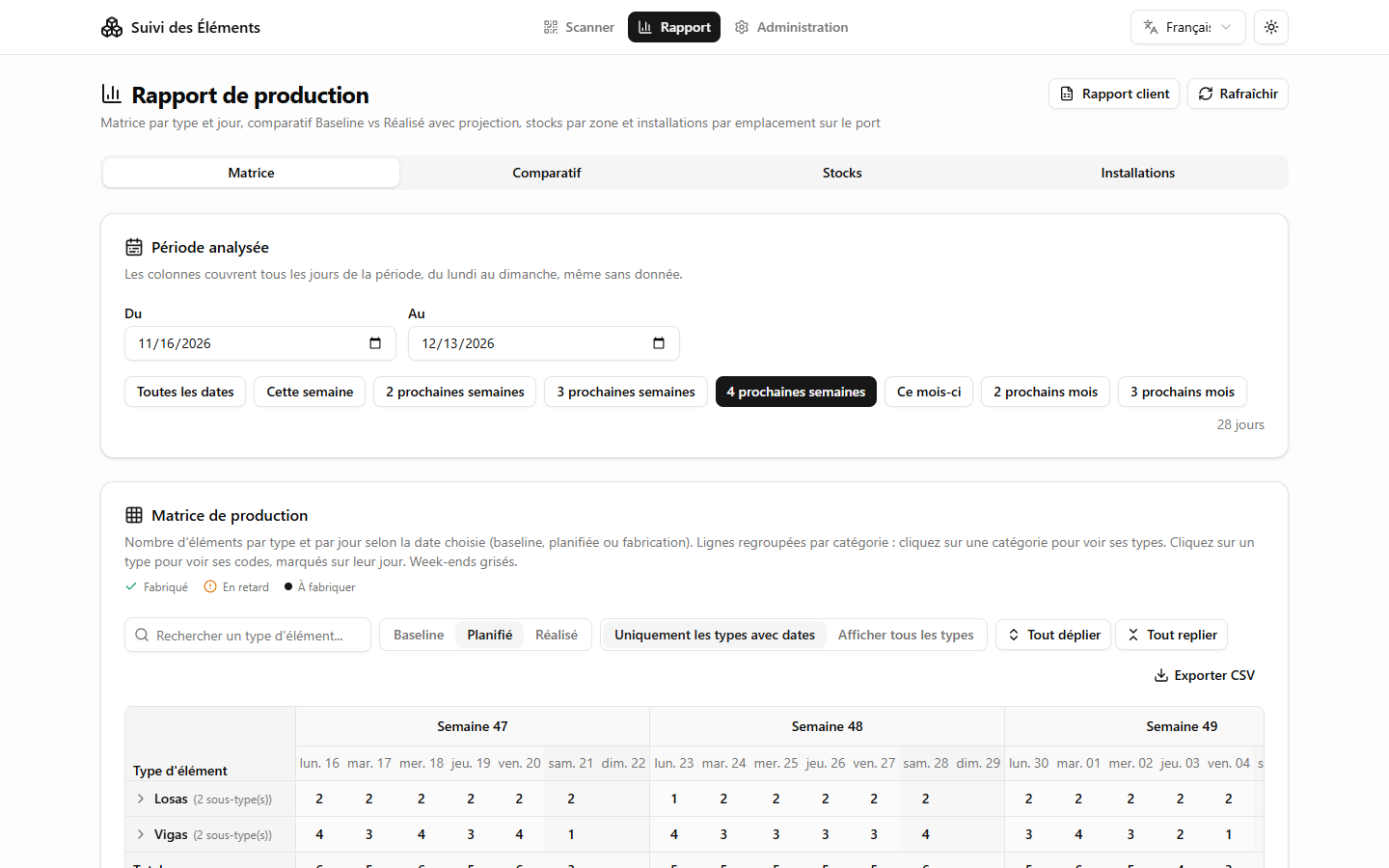
The demo loads in this page. No sign-in, no account.
Loading the demo…
In the demo, the GPS position is simulated. Camera scanning works: print or display a QR label from the app, then scan it.
Screenshots
Technical choices and results
Data model
- Six Dataverse tables: element types, elements, movement history, zones, positions, and allocations (which type goes to which position).
- A part's status is not stored: it is derived from the last line of its history.
Business rules
- A part cannot be cast before the lower-numbered parts of the same type.
- Installation requires a ready part, an installation zone, and a position that is planned for this type and still free; occupancy is read again just before saving.
Technical choices
- The plan is computed by pure functions from each position's grid axes, then drawn in SVG: the same geometry serves the screen, the selection and the Excel report.
- A part's zone is found with a point-in-polygon test on the GPS position.
- The code app SDK has no joins, so relations between tables are resolved in the browser, with TanStack Query for caching.