Canvas app
Staff Management
Staff management for a construction site: individual records, attendance planning, training, operating permits and certificates.
- Power Apps canvas app
- Power Fx
- SharePoint
- Power Automate
Solution and key features
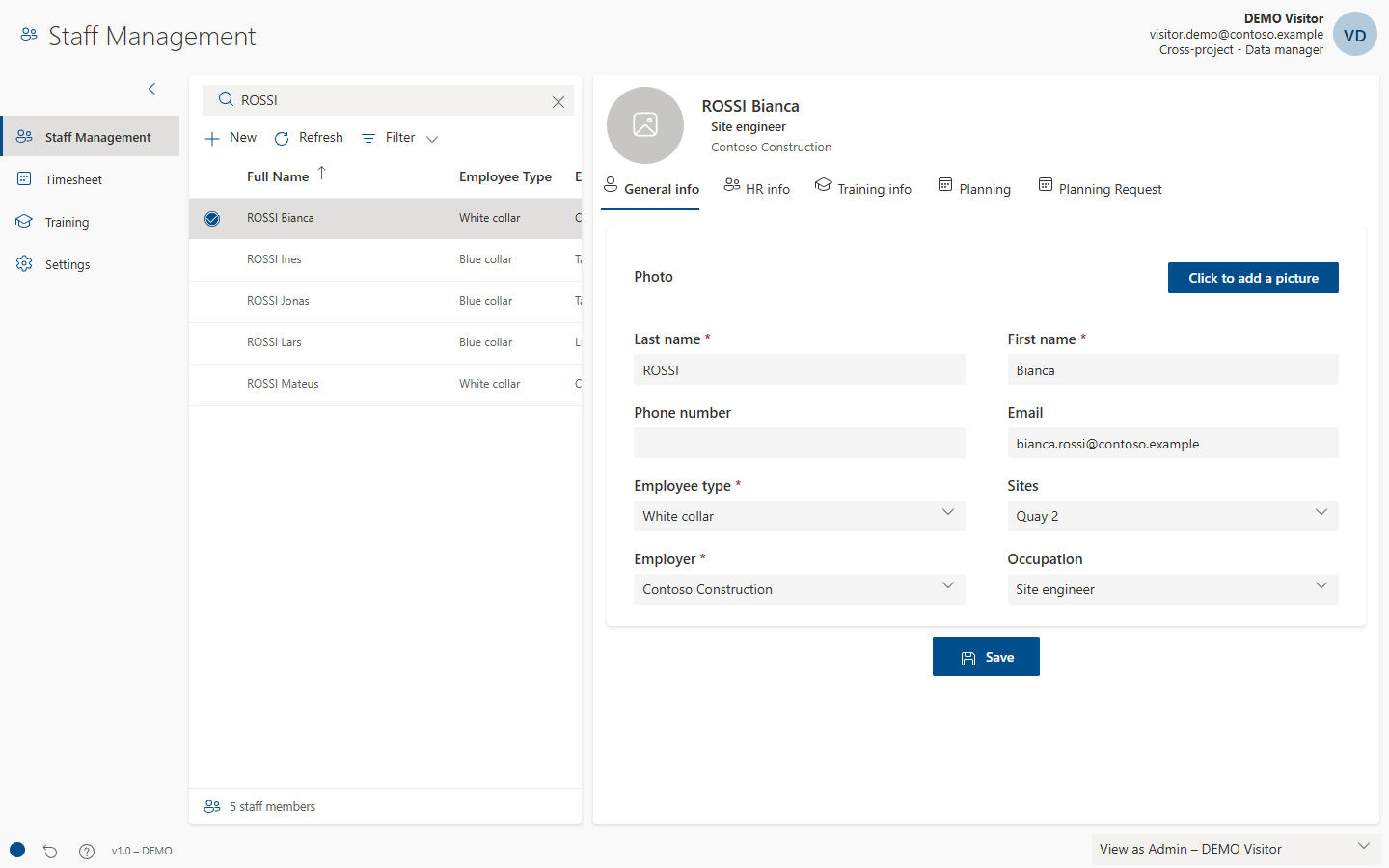
A Power Apps canvas app brings together everything about a person working on the site: their record, reporting lines, training, operating permits and planning. What each user sees and can change depends on the domain of their job (HR, HSE, project management) and on their reporting line to that person.
- Staff list with search, sorting and combined filters (employee type, site, domain and job, employer, rotation), and a tabbed individual record.
- Attendance planning for white-collar staff: one strip per person, period changes by the manager, and change requests submitted to the successive managers.
- Team timesheet grid, one day per column: on-site or off-site work, rotation, vacation, compensation, bank holidays, pending requests.
- Training and qualifications: validity dates, expired certificates or missing proof, and a matrix of mandatory training per job.
- Operating permits: choice of certificates, safety approval then final approval, and a printable “passport” once the permit is approved.
- Settings reserved for administrators: companies, training courses and bank holidays.
Demo
The demo loads in this page. No sign-in, no account.
Loading the demo…
The original application is a canvas app; it is rebuilt here in React, with the same logic and the same look. The interface is in English. The “View as” list, bottom right, lets you play an administrator, HR, HSE, a manager or an employee.
Screenshots
Technical choices and results
Data model
- SharePoint lists: staff, companies, jobs and domains, training courses, certificates, mandatory training per job, operating permits, planning (one row per person and per day), planning requests, bank holidays.
- Rights computed at start-up from the user's job; reusable components for the header, the footer, dialogs and forms.
Automation
- Power Automate flows: approval of operating permits by e-mail, and notifications to the approvers of planning requests.
- The training matrix only saves its differences: the boxes ticked or unticked since the last save.